Hardware User Guide
Block Diagram:
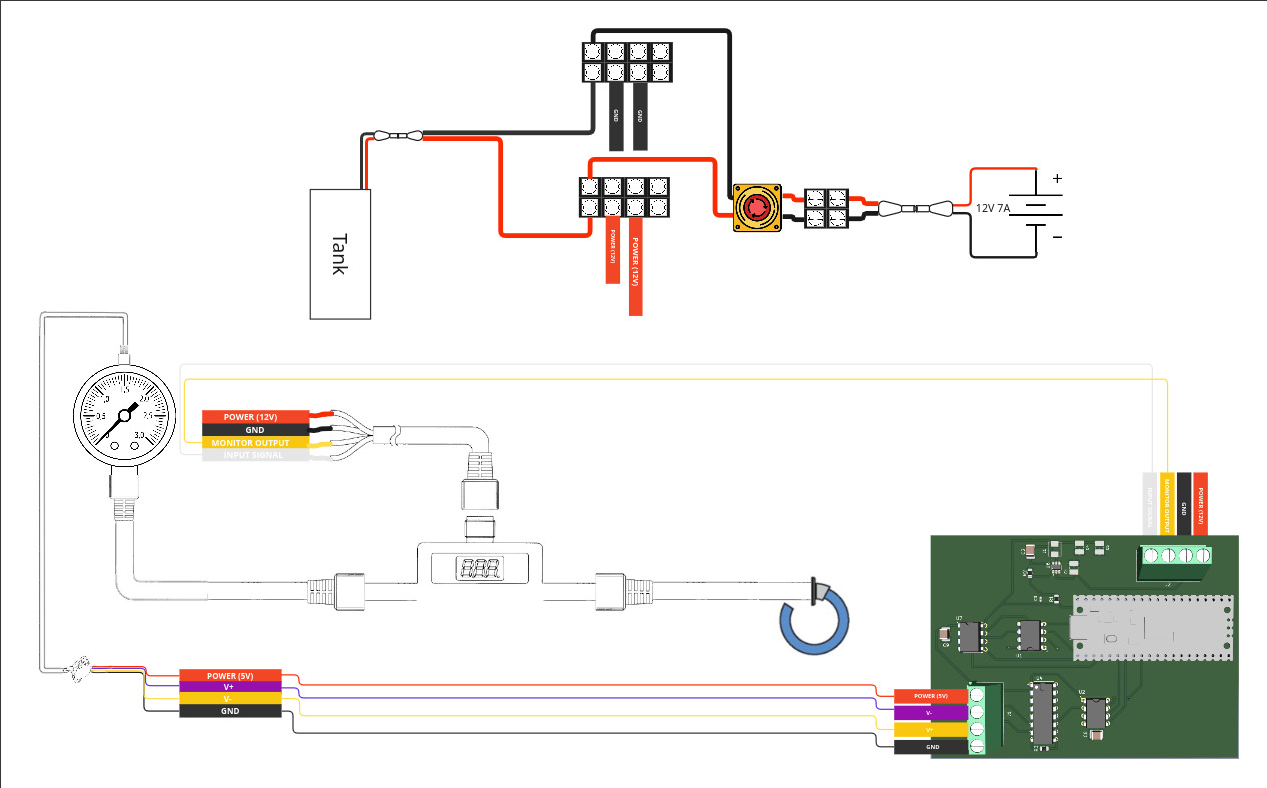
Power Switch:
This switch connects the battery to the system. Only engage this switch when active operation is required.
Tank Switch:
This switch controls tank pressurization. When the system is powered on, activating this switch begins filling the tank with PSI.
Caution: The tank will continue filling until you physically disconnect the switch. Monitor pressure levels during filling.
Pressure Regulator Adjustment:
For guidance on using or adjusting the pressure regulator, refer to the manufacturer’s instructions here: https://www.smcneumatics.com/pdfs_smc_instructional/ITV-E.pdf